
Pro shop POS & payments
A counter that keeps up at the turn
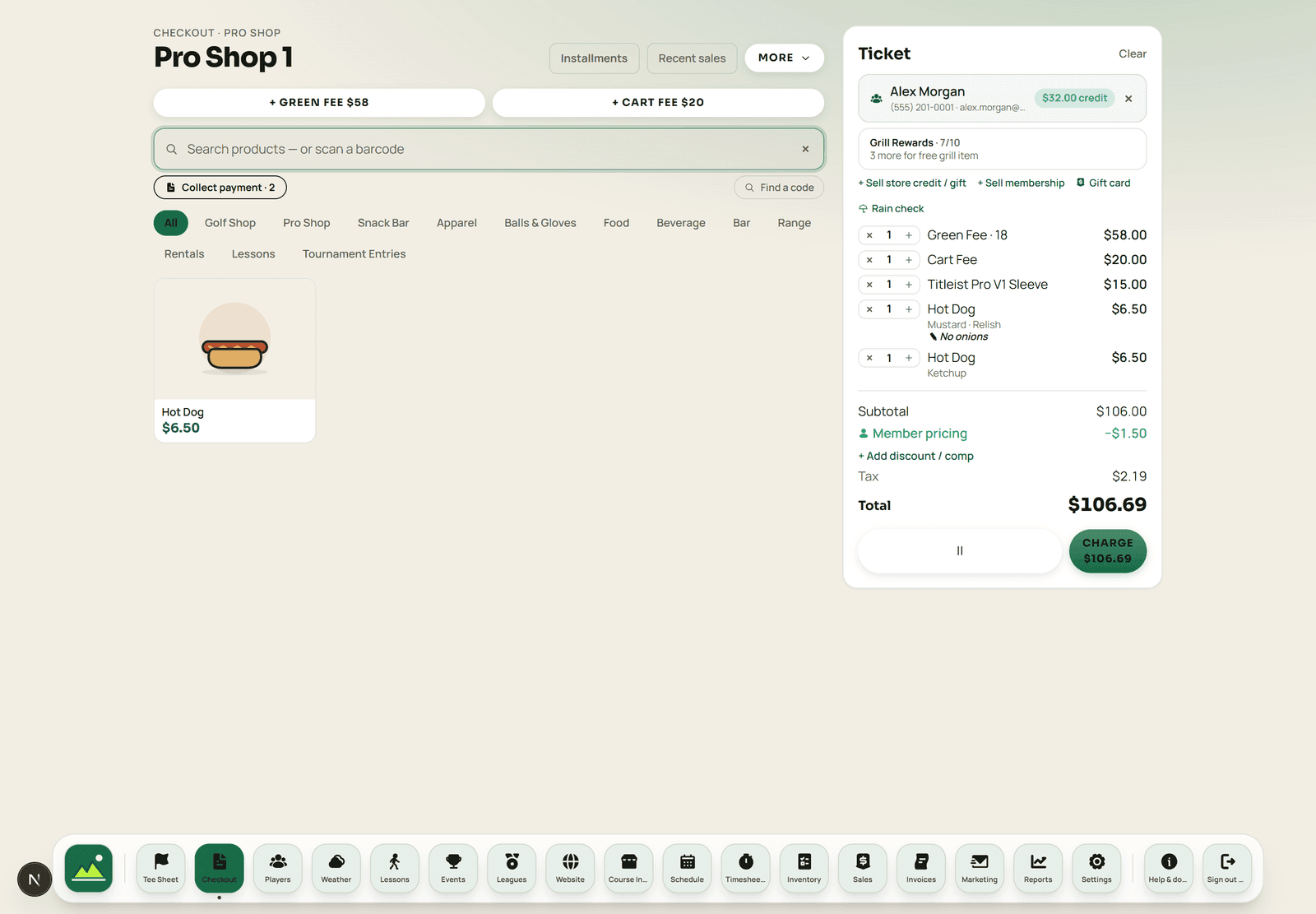
Green fees, a cart, a sleeve of balls and two hot dogs on one ticket, split between two cards, attached to the golfer so it lands on their record — then a close that reconciles without anyone staying late.
 Sample data
The sale
One ticket, every way a golf course takes money
A pro shop is a merchandise counter, a green-fee window and a snack bar at the same time. The register treats that as normal rather than as three workflows.
- Tenders
- Card by reader, keyed or pay-by-QR; cash; gift card; store credit; house account. Two-card splits, and mixed tenders on one ticket.
- Attach the golfer
- Putting the sale on a person is what makes loyalty, house accounts, purchase history and marketing segments possible later.
- Options & kitchen notes
- Option groups open a picker at the counter and online; a note like “no ice” follows the line to the kitchen display, the ticket and the receipt.
- Tabs
- Park a foursome's lunch and recall it by name. On league days the tab list is the tee sheet, so the tab opens already bound to the golfer.
- Returns & refunds
- Refunds and voids are recorded against the original sale rather than as a negative cash line, so the ledger stays honest.
- Customer display
- A second screen shows the cart and takes the tip decision, so the tip is the golfer's choice rather than a question asked across a counter.
The close
A Z-report that refuses to lie
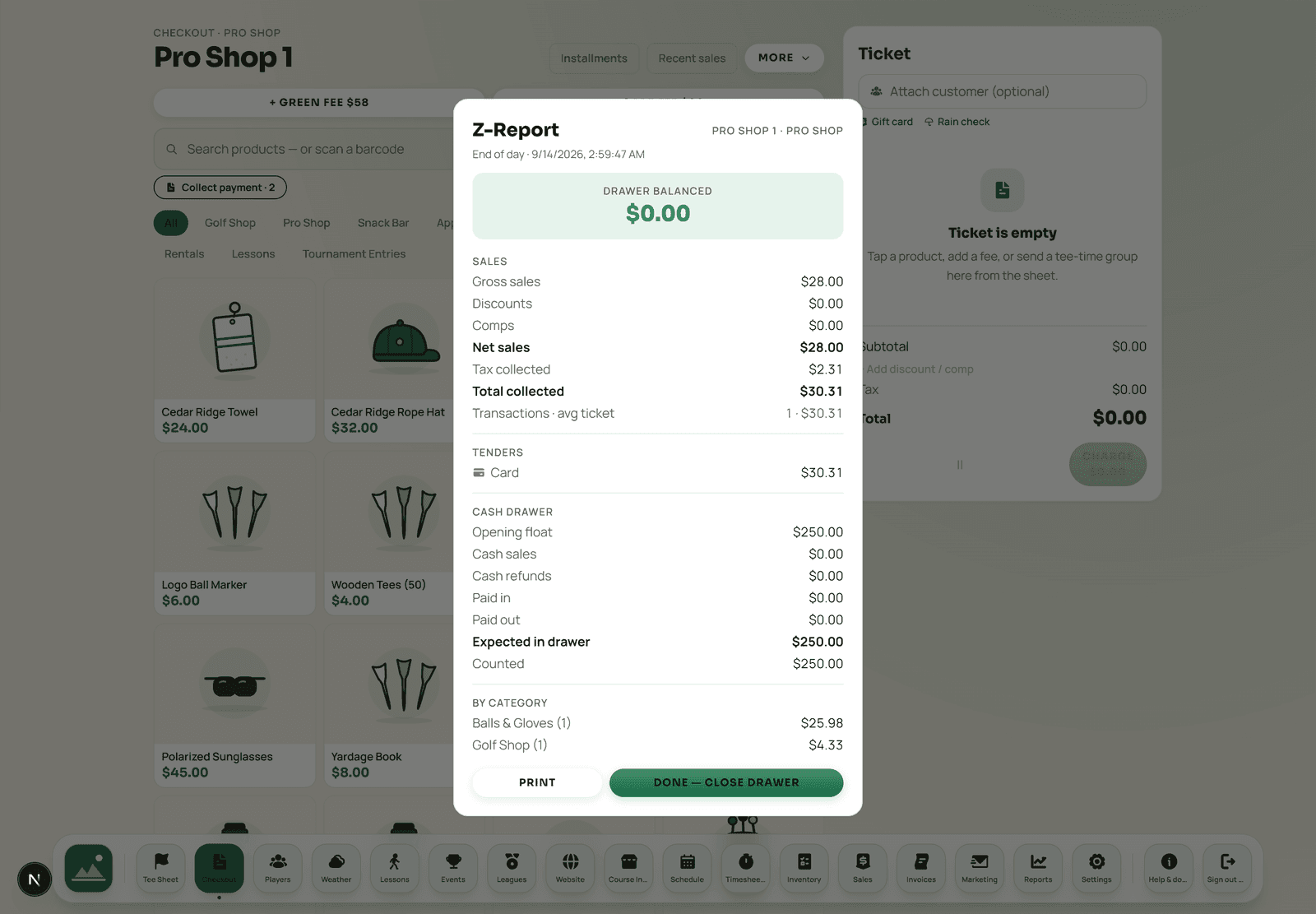
Every shift opens a drawer session and closes it with a count. The Z-report separates cash, card and other tenders, and lists any synced offline sales as their own section — so an odd cash figure always has an explanation attached rather than becoming a mystery someone writes off.
- Offline sales itemized
- Sales rung during an outage are marked offline and counted in the drawer session they were actually rung on.
- The drawer will not close early
- While sales are still queued, closing is blocked. The count would be wrong, so the system refuses rather than producing a tidy false number.
- It rolls into one ledger
- The day's sales, tee times, labor cost and inventory movement all land in the same double-entry ledger, which is why the numbers agree.
 Sample data
Beyond the counter
The things that usually arrive as separate subscriptions.
- Gift cards, sold and redeemed at the register
- Store credit that lives on the golfer's record
- House accounts that settle by invoice
- Loyalty and punch cards
- Kitchen display and printed tickets for the grill
- Inventory counts and purchase orders
- Invoices, installments and cards on file
- Sales tax handled from setup to filing
Cash-only offline mode
Processing

Close
The drawer count should be the least interesting part of the day
One register, one ledger, one Z-report. If the counter, the tee sheet and the kitchen are the same system, close is arithmetic rather than an investigation.
Register questions
What tenders does the register take?
Card by reader, keyed entry or a pay-by-QR link the golfer opens on their phone; cash; gift card; store credit; and a house account that settles by invoice later. Two-card splits are supported, and a ticket can mix tenders.
Does the register work during an internet outage?
It switches to cash-only offline mode. Cash sales keep working and queue on the device with the time they were rung. Card payments, tip-on-display, discounts, rewards, tabs and customer attach are disabled while offline because each needs the server to answer truthfully. The queue replays automatically when the connection returns, and each sale carries a one-time id so a duplicate cannot be created.
Can a foursome run a tab?
Yes. Tabs park an order and recall it by name. On days a league or event is on the sheet, the Tabs window lists everyone playing it, so one tap opens a tab already bound to that golfer with their loyalty, card on file and history attached.
How does the close work?
Drawer sessions and a Z-report. The report separates cash, card and other tenders, and lists synced offline sales as their own section so an unusual cash number always has an explanation. The drawer refuses to close while offline sales are still waiting to sync, because the count would be wrong.
Which card readers are supported?
Stripe Terminal readers — WisePOS and compatible models — which pair in Settings and take tap, chip and swipe. The hardware page lists what is supported and what is required; reader quantities, ownership and replacement terms are part of your quote rather than a public price list.
Watch a real ticket get rung
Bring the awkward one — the split green fee, the member on a house account, the group that wants one card and three receipts.