
Reporting & close
Numbers an owner can sign off without a reconciliation
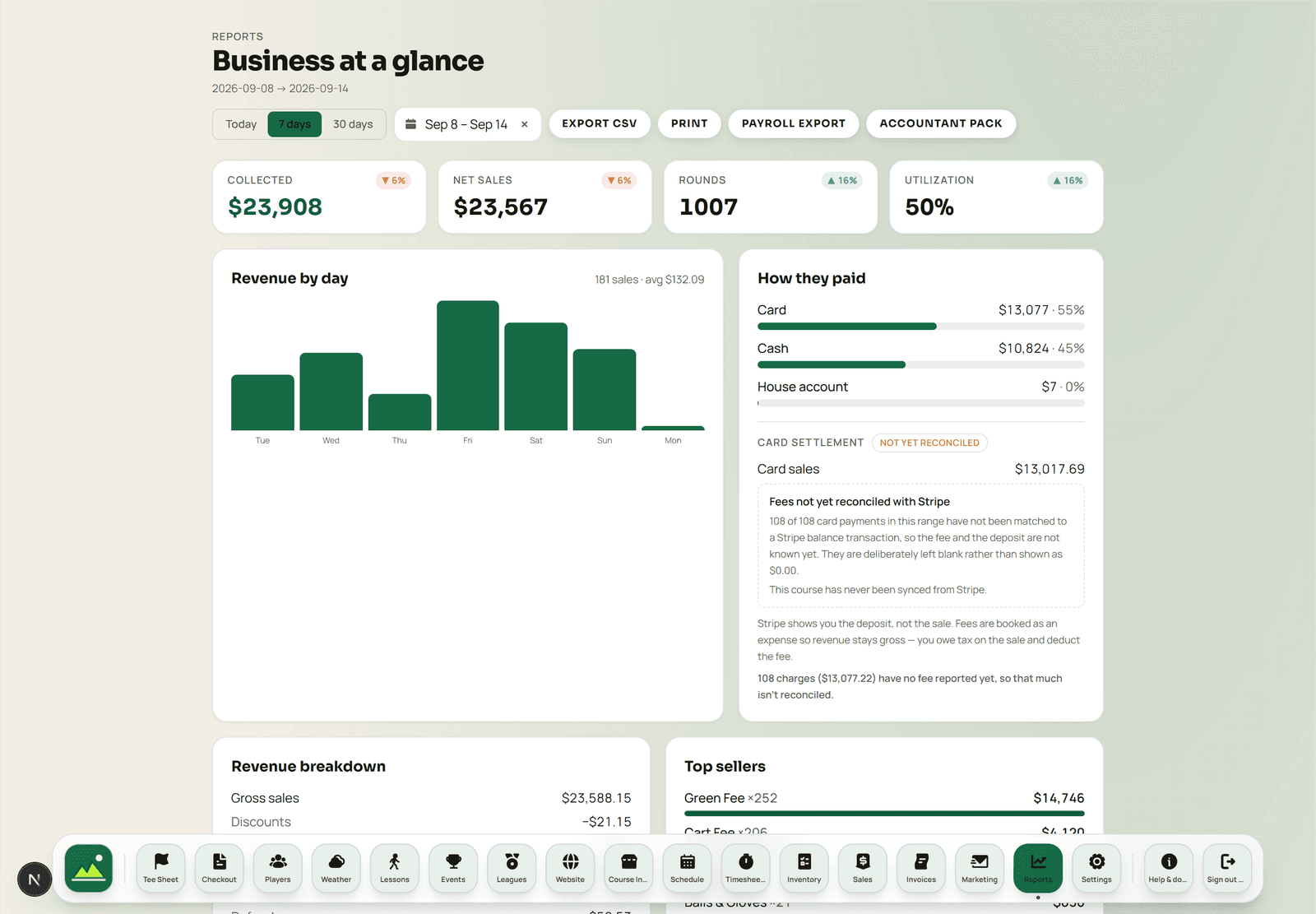
One day, one ledger. Sales, tee times, labor and inventory all reconcile against each other because they were never separate systems that had to be made to agree afterwards.
 Sample data
The close
What comes out at the end of a day
The close is the moment a POS is either trustworthy or not. These are the artefacts, and what each one is for.
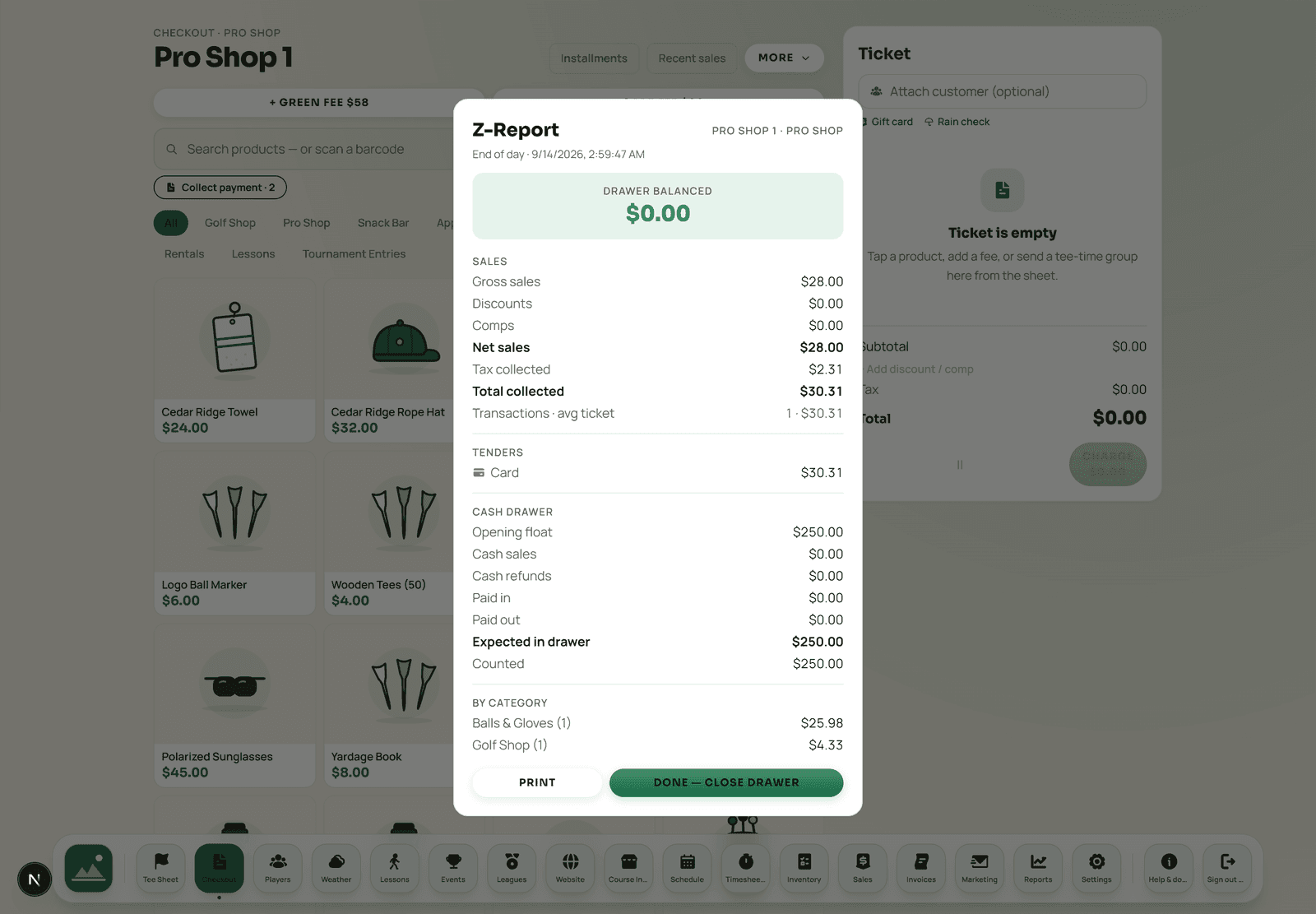
- Drawer session & Z-report
- Opened and closed by a named person, with cash, card and other tenders separated and offline sales itemized as their own section.
- Payment reconciliation
- What the register recorded against what Stripe actually settled, so a discrepancy is visible the next morning rather than at month end.
- Category & tax
- Sales by category and department with tax broken out, which is what makes a filing a lookup instead of a project.
- Tee sheet & booking
- Rounds, utilization and the channel bookings arrived through — the operating picture beside the money.
- Golfer metrics
- Spend and visit patterns by golfer and segment, from the same records the counter and the CRM use.
- Labor
- Hours and labor cost by day and department, alongside the revenue those hours produced.
The ledger
Double-entry, because a shoebox is not a system
Under the reports is an append-only, double-entry ledger. Every movement posts as balanced entries that net to zero — a sale, a refund, a gift-card load, a house-account settlement, a payout. That is an unglamorous engineering decision, and it is the whole reason the numbers on this page can be trusted rather than merely displayed.
- It nets to zero
- If it does not balance, something is wrong and the system can say so, instead of producing a tidy figure that hides it.
- It is append-only
- History is added to rather than edited, so a report run today for last March matches the one run last April.
- It feeds the exports
- The accountant pack is generated from the ledger, not assembled from screen scrapes of the reports.
 Sample data
Exports and handoff
- Accountant pack of CSV exports by period
- Sales, tenders, tax by category, refunds and deposits
- Payroll hours with the overtime split
- Customer, sales and timesheet exports on demand
- Report definitions documented in the help center
- Course timezone applied consistently
- Sales tax from setup through to filing
- Per-course reporting inside a multi-course organization
Aced is not your accountant
Your data, on request and on exit

The close
A number is only useful if you would defend it
Every figure in an Aced report traces back to the sale, the shift or the tee time that produced it. That is the difference between a dashboard and a set of books.
Reporting questions
What makes the numbers trustworthy?
Every movement of money is written to a double-entry ledger that nets to zero. A sale, a refund, a gift-card load, a house-account settlement and a payout all post as balanced entries, which is why the day's revenue, the drawer count and the deposits agree instead of being three separate opinions.
How do refunds and voids appear?
Against the original sale rather than as a loose negative cash line. That keeps the day's gross, the refunds and the net separable, which is what an accountant needs and what a bare negative line destroys.
Which timezone are reports in?
Your course's timezone, set once during setup. It drives the tee sheet, the reports and quiet hours together, so a day that closes at midnight closes at your midnight rather than the server's.
Does Aced replace my accounting software?
No, and it does not claim to. Aced produces the operational ledger, the reports and an accountant pack of CSV exports. Your accountant still runs the books in their own system; the exports are built so that import is uneventful.
What does the accountant get?
A pack of CSV exports covering sales, tenders, tax by category, refunds, deposits and payroll hours for the period, with definitions documented in the help center so nobody has to reverse-engineer a column name.
Bring last month's close
The fastest way to judge a reporting stack is to run last month through it and see whether the numbers you already know come back out.